Home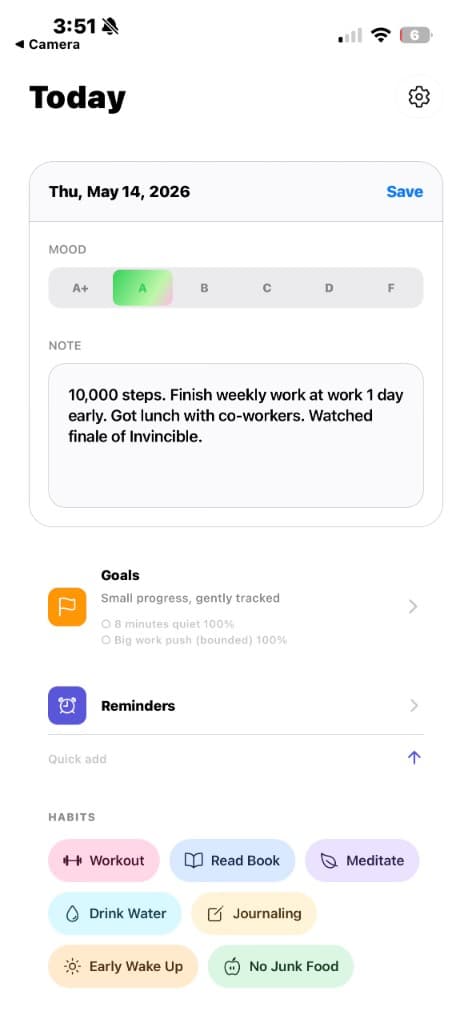
Moodly
A calmer daily reflection system for moods, habits, goals, and reminders.
Moodly is a lightweight journaling app that helps daily reflection stay simple and visual. It brings mood tracking, habit check-ins, gentle reminders, and long-term goals into one quiet system so patterns are easier to notice without adding friction.
—
Screens
Today — Daily Entry
- Log one mood for the day with a lightweight note
- Review Goals, Reminders, and Habits from the same daily surface
- Quick-add habit chips keep repeated actions easy to capture
- Designed to make reflection feel immediate and low-friction
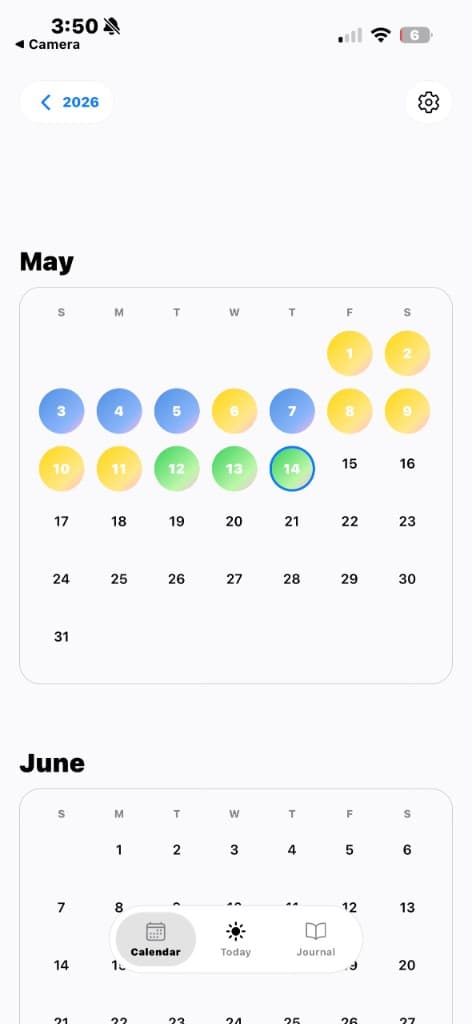
Calendar — Monthly View
- Shows daily mood entries across a clean month layout
- Colored circles make recent patterns easy to scan
- Selected days are highlighted without overwhelming the calendar
- Scroll into future months while preserving the same rhythm
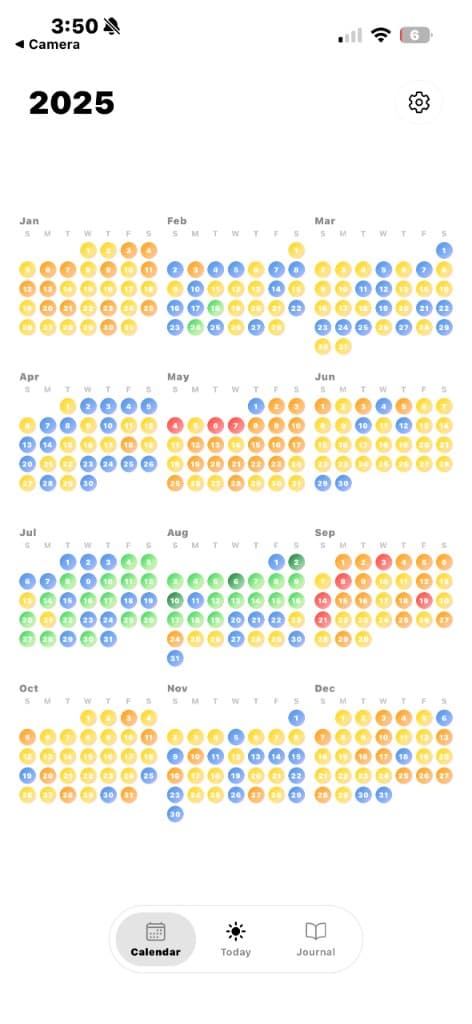
Calendar — Year Overview
- Displays a full year of mood history at a glance
- Dense color mapping reveals long-term trends and streaks
- Month groups make larger emotional patterns easier to compare
- Bottom navigation keeps the calendar, today, and journal close
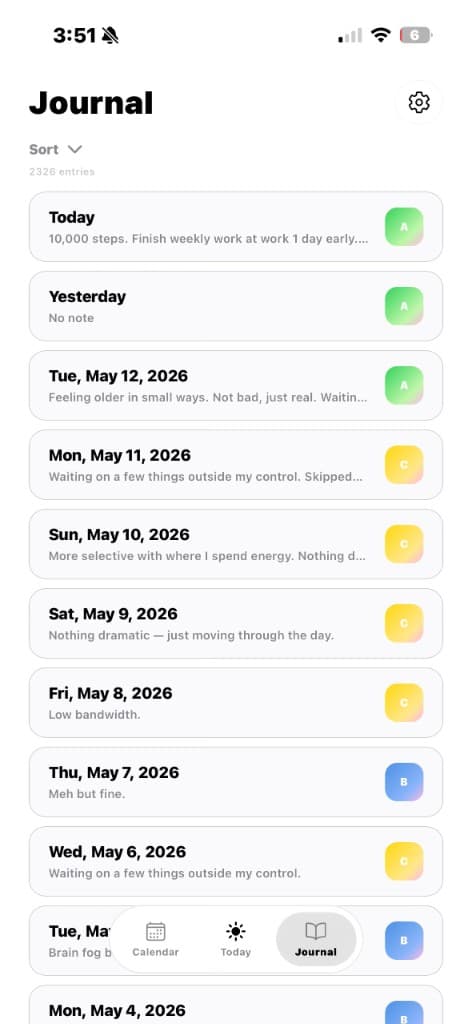
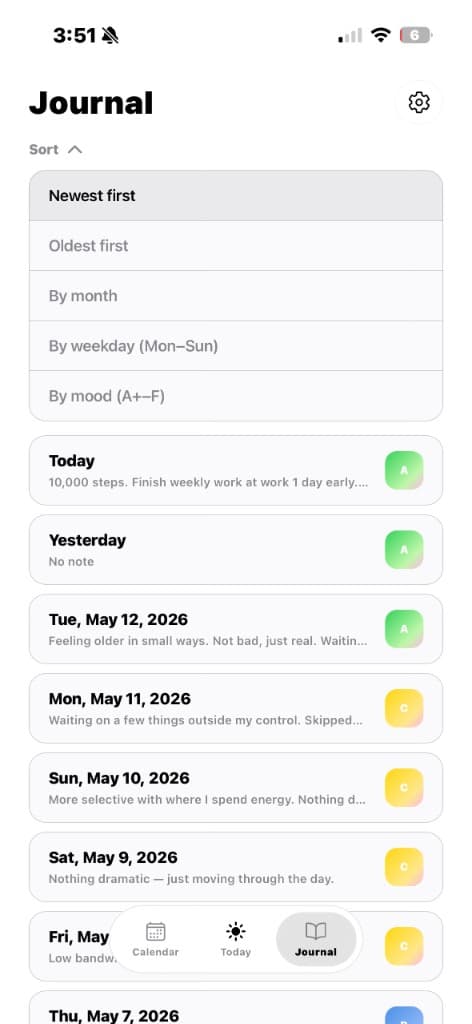
Journal — Log View
- Chronological list of entries with the newest days first
- Short note previews preserve context without adding clutter
- Mood badges summarize each day with a compact visual cue
- Tapping an entry opens the full day for review or editing
Journal — Sort Controls
- Expandable sorting keeps secondary controls out of the way
- Entries can be explored by recency, month, weekday, or mood
- The list stays visible while filters are open
- Controls follow the same calm card treatment as the journal
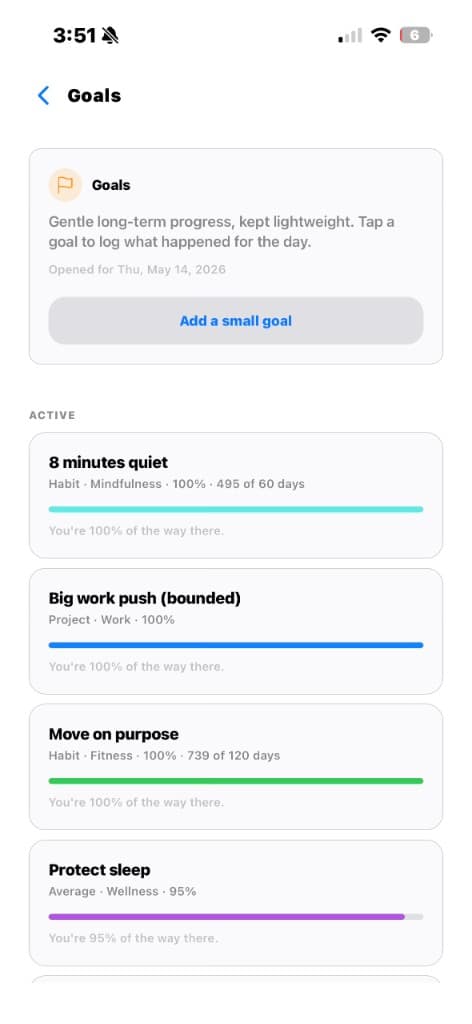
Goals — Progress Tracking
- Track longer-term goals beside daily journal entries
- Progress bars communicate completion at a glance
- Goal types and categories keep context lightweight
- Archived goals remain separate from the daily flow
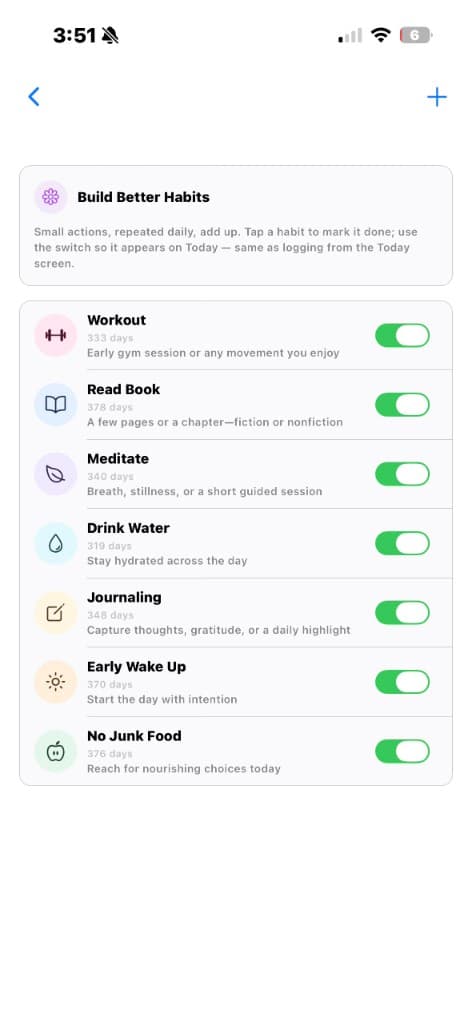
Habits — Daily Toggles
- Reusable habits can be enabled for daily tracking
- Large toggles support quick completion and review
- Each habit includes compact supporting copy and streak context
- The same habits surface on Today for fast logging
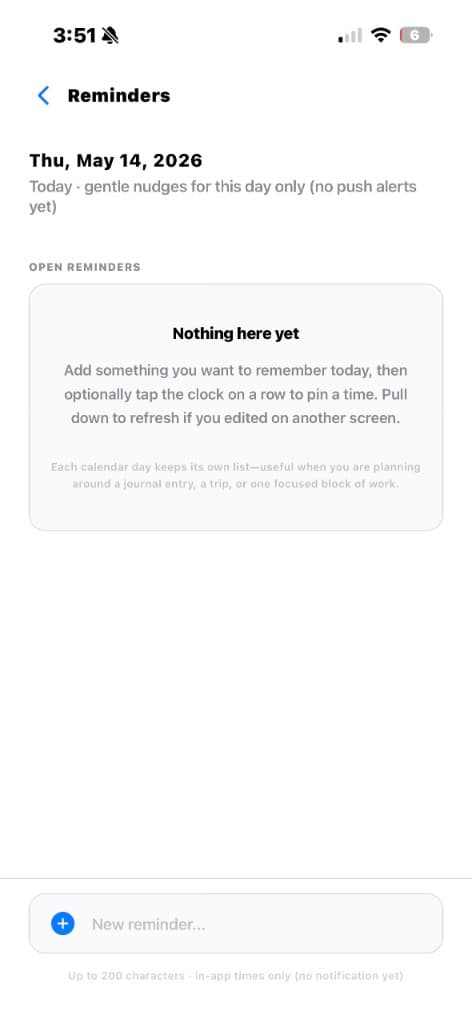
Reminders — Day Notes
- Capture gentle reminders tied to a specific calendar day
- Empty states explain the feature without adding noise
- Quick input stays anchored at the bottom for easy adding
- Built for in-app nudges before notification support expands
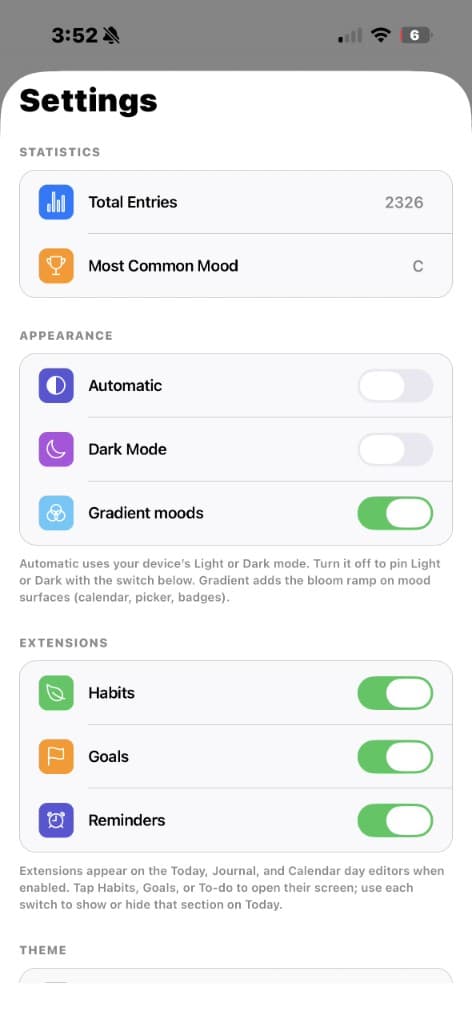
Settings — Preferences & Extensions
- Summarizes entry count and most common mood
- Appearance controls keep automatic, dark mode, and gradients clear
- Extensions allow Habits, Goals, and Reminders to be toggled
- Settings stay consistent with the app’s minimal card language
What I’m building next
- Tune the daily flow across moods, habits, goals, and reminders
- Improve performance on dense calendar and year overview views
- Refine sorting, empty states, and journal microcopy
- Expand accessibility, offline resilience, and future notification support